
There are no products listed under this category.
Shop by Brand
Hardware Repair & Upgrades
Computer Hardware Repair & Upgrades in San Marcos, TX
San Marcos Computers provides computer hardware repair and upgrades for desktops, laptops, Macs and supported custom-built computers in San Marcos, Texas.
From replacing a failed hard drive or SSD to installing additional RAM, replacing a laptop screen or troubleshooting a power problem, we can diagnose the hardware and determine what repair or upgrade options are available.
Free computer diagnostics are available.
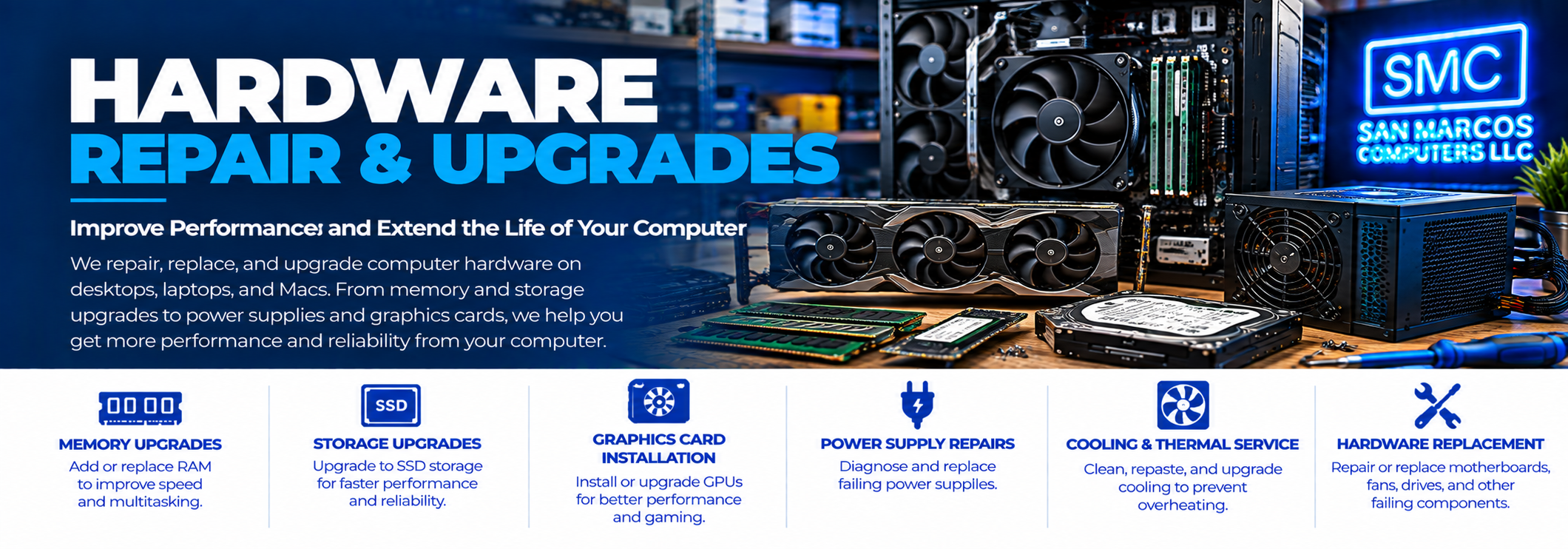
Computer Hardware Problems We Repair
Hardware problems can range from a single failed component to a combination of issues affecting the computer.
Depending on the computer and the problem, we can work with hardware such as:
- Hard drives
- SSD storage
- RAM and memory
- Graphics cards
- Power supplies
- Laptop screens
- Laptop batteries
- Charging jacks and charging systems
- Cooling fans and related components
- Other compatible computer hardware
Hard Drive Replacement
A failing hard drive can cause slow performance, crashes, error messages, boot problems and data-access problems.
If the drive is still functioning and the data can be accessed normally, we can replace the drive and transfer the appropriate data as part of the repair.
If the drive has failed or important files are inaccessible, do not assume that replacing the drive is the first step. The original drive may require Data Recovery first.
SSD Replacement & Upgrades
Replacing an older mechanical hard drive with an SSD can significantly improve the responsiveness of a compatible computer.
We can determine whether your computer supports an SSD upgrade and what type of storage is appropriate for the system.
When the original drive is functioning normally, we can handle the appropriate data transfer as part of the upgrade.
If the original drive is failing or files cannot be accessed normally, the situation may require data recovery rather than a routine upgrade.
RAM & Memory Upgrades
Additional RAM can improve a computer's ability to handle multiple applications and larger workloads, provided the computer supports a memory upgrade.
We can determine how much memory your computer currently has, whether it can be upgraded and what type of memory is compatible.
Graphics Card Upgrades
Desktop computers used for gaming, video production, graphics work and other demanding applications may benefit from a graphics card upgrade.
A graphics card upgrade is not simply a matter of choosing the fastest card available. The computer's power supply, motherboard, case, available space, cooling and other components also need to be considered.
We can help determine whether a graphics upgrade is appropriate for your system.
Power Supply Replacement
A desktop computer that will not turn on, shuts down unexpectedly or becomes unstable may have a power supply problem.
We can diagnose power-related symptoms and determine whether the power supply or another component is responsible.
When replacement is appropriate, we can install a compatible power supply that provides the required power for the system.
Laptop Screen Replacement
A cracked or damaged laptop screen does not necessarily mean the laptop needs to be replaced.
We can diagnose laptop display problems and, when the appropriate replacement is available, replace damaged screens.
Some display problems can be caused by cables, graphics hardware or other components, so diagnosis is important before ordering a replacement screen.
Laptop Battery Replacement
Laptop batteries naturally lose capacity over time.
If your laptop shuts down unexpectedly, runs only while connected to its charger or no longer holds a useful charge, we can diagnose the battery and charging system.
If the battery is the cause of the problem and a suitable replacement is available, we can replace it.
Laptop Charging Jack Repair
A damaged or worn charging jack can prevent a laptop from receiving power properly.
Charging problems can also originate with the AC adapter, battery, motherboard or charging circuitry, so proper diagnosis is important.
We can determine what component is causing the charging problem and explain the available repair options.
Cooling and Overheating Problems
Overheating can cause a computer to slow down, freeze, shut down unexpectedly or become unstable.
Possible causes include dust buildup, blocked airflow, fan problems, thermal issues or other hardware conditions.
We can diagnose the cause of overheating and determine what service may be appropriate.
Custom and Gaming Computer Hardware
We work on supported custom-built and gaming desktop computers as part of our desktop computer repair service.
This can include diagnosing individual components, replacing failed hardware and determining whether upgrades are compatible with the existing system.
If you need an entirely new custom or gaming computer rather than an upgrade to your current system, see our Custom Computer Builds service.
Hardware Repair vs. Data Recovery
A hardware problem involving a storage device needs special consideration when important data is involved.
If a hard drive or SSD is functioning normally but needs to be replaced or upgraded, we can generally handle the data transfer as part of the repair.
If the storage device has failed, is no longer recognized or contains inaccessible files, continuing to work with the device as though it were a normal upgrade can make recovery more difficult.
Our Data Recovery service is designed for failed, inaccessible, deleted and corrupted data.
We Diagnose Before Replacing Parts
Not every hardware symptom means that a particular component has failed.
For example, a computer that will not turn on could have a problem with the power supply, motherboard, memory, graphics hardware or another component.
Our free computer diagnostics help determine what is actually causing the problem before we recommend a repair.
Repair or Upgrade?
Sometimes a repair is all that is needed. In other cases, replacing an older component with newer hardware may make more sense.
We can explain the available options based on your computer's age, condition, compatibility and intended use.
Our goal is to help you understand what can reasonably be done with the computer rather than automatically recommending replacement.
Computer Hardware Repair in San Marcos
San Marcos Computers provides hardware repair and upgrades for desktops, laptops, Macs and supported custom-built computers in San Marcos, Texas.
We are located at 2206 Old Ranch Road 12, just minutes from Texas State University and downtown San Marcos.
If your computer is having a hardware problem or you are considering an upgrade, start with our free computer diagnostics.
Contact San Marcos Computers to discuss your repair or upgrade.