
There are no products listed under this category.
Shop by Brand
Lost, Deleted & Corrupted File Recovery
Lost, Deleted & Corrupted File Recovery in San Marcos, TX
Not every data recovery problem involves a hard drive that has physically failed. Sometimes the storage device is working normally, but important files have been deleted, lost, corrupted or become inaccessible.
San Marcos Computers provides data recovery for these situations as well as recovery from failing storage devices.
Our data recovery assessment is free. In most cases, we actually perform the recovery first so we can determine what data is available before providing a quote.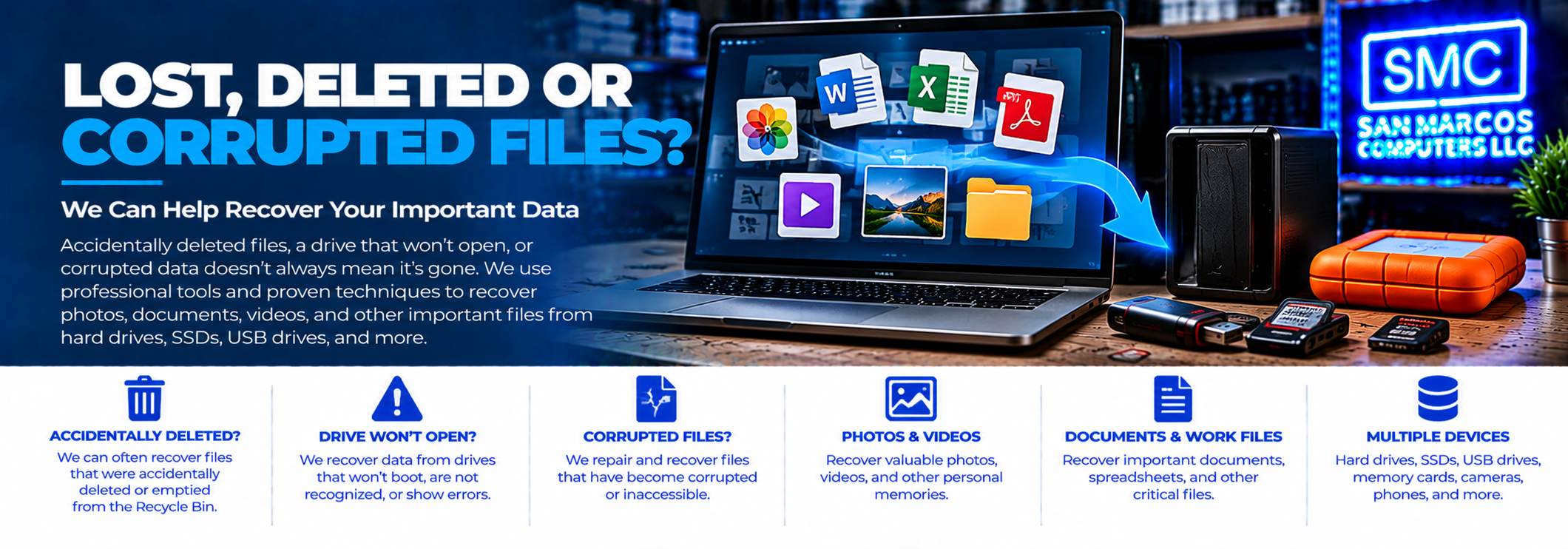
Deleted Does Not Always Mean Gone
When a file is deleted, the space it occupied may be marked as available for reuse rather than immediately being overwritten.
That means a deleted file may sometimes be recoverable, depending on what happened after it was deleted and how much the storage device has been used since then.
The most important thing to do after accidentally deleting important files is to stop using the storage device.
Continuing to save files, install software, download files or otherwise write new information to the drive can overwrite data that may still be recoverable.
Accidentally Deleted Files
If you accidentally deleted important documents, photographs, videos or other files, stop using the affected storage device as soon as possible.
This includes situations where:
- Important files were accidentally deleted
- A folder was accidentally deleted
- The Recycle Bin was emptied
- Files were accidentally moved or removed
- Important photographs or videos disappeared
- Files were deleted from an external drive
- Files were deleted from a USB flash drive or memory card
The longer the storage device continues to be used, the greater the possibility that new data will overwrite portions of previously deleted files.
Accidentally Formatted Drives
Formatting a storage device can make existing files inaccessible, but formatting does not necessarily mean that every piece of the original data has immediately disappeared.
Recovery possibilities depend on the type of storage device, the type of formatting performed, what happened after the format and whether new information has been written to the device.
If you accidentally formatted a drive containing important information, stop using it and contact us before attempting to use the drive normally again.
Corrupted Files
A file can sometimes still exist on a storage device but fail to open properly.
Corruption can affect documents, photographs, videos, databases, archives and other types of files.
Depending on the nature of the corruption, some files may be repairable or partially recoverable while others may not be recoverable.
Our recovery process allows us to determine what information can actually be recovered rather than assuming that every file is either completely good or completely lost.
Corrupted File Systems
Sometimes the problem is not an individual file but the file system that tells the computer where files are located.
You may see symptoms such as:
- A drive is recognized but files cannot be opened
- A folder appears to be empty when it should contain files
- Windows or another operating system reports that the drive needs to be formatted
- The computer reports file-system errors
- An external drive suddenly appears to contain no files
- Files or folders have disappeared
Do not immediately format or initialize the drive if the information on it is important. Doing so can make recovery more difficult.
Files That Suddenly Disappeared
Sometimes customers know that files were present but can no longer find them.
The cause could be accidental deletion, file-system corruption, a damaged directory structure or another problem with the storage device.
If important files have suddenly disappeared, stop making changes to the affected drive and have it evaluated before continuing to use it.
Photo and Video Recovery
Photographs and videos can be especially difficult to replace because they may represent years of memories.
We can work with supported storage devices containing photographs, videos and other personal files, including hard drives, SSDs, external drives, USB flash drives and memory cards.
If important photographs or videos have been deleted or become inaccessible, stop using the storage device and bring it to us for assessment.
USB Flash Drive and Memory Card File Recovery
File loss is not limited to computers.
USB flash drives and memory cards can also experience deleted files, corruption, accidental formatting and other problems that make information inaccessible.
Depending on the device and condition of the storage media, we may be able to recover some or all of the available information.
Learn more about the storage media we can work with.
SSD and Deleted File Recovery
Deleted-file recovery from SSDs can be more complicated than recovery from some traditional hard drives because of how solid-state storage manages deleted data and reuses storage space.
Recovery possibilities depend on the particular device and what happened after the files were deleted.
For this reason, if you accidentally delete important files from an SSD, stop using the computer or drive as soon as possible and contact us.
Our Recovery-First Approach
We don't simply look at the symptoms and guess how much data might be recoverable.
In most cases, we actually perform the recovery first.
This allows us to determine what data is available and gives us specific information about the recovery, including:
- How much data was recovered
- What types of files were recovered
- Which folders and files were found
- Which files could not be recovered
- Which files may be corrupted or incomplete
The data recovery assessment is free.
See What Was Recovered Before You Decide
When applicable, we can provide an interactive HTML recovery report showing the recovered file and folder structure.
You can drill down through the directory structure and see the files that were found. The report can identify files according to their recovery status, including files that were successfully recovered and files that were corrupted or could not be recovered.
This gives you a much better understanding of the actual recovery results before you decide whether to purchase the recovered data.
Then We Provide a Quote
Once the recovery has been performed and the results are known, we provide a quote for transferring the recovered data to an appropriate storage medium.
If you accept the quote, we transfer the recovered data to your storage medium.
If you decline the quote, no recovery fee is due.
That means you can make your decision based on the actual files recovered rather than an estimate made before the recovery process.
What You Should Do After Losing Important Files
If you have accidentally deleted or lost important files, the safest first step is to stop using the affected storage device.
- Do not save new files to the affected drive.
- Do not install recovery software onto the affected drive.
- Do not format or initialize the drive.
- Do not continue using the computer normally if the affected drive is the system drive.
- Do not repeatedly attempt repairs that may modify the storage device.
If the data is important, contact us before taking additional action.
Lost Files vs. a Failed Drive
Our Data Recovery service covers both situations.
A failed or failing drive may have mechanical, electronic or other hardware problems that prevent normal access to the stored information.
A lost, deleted or corrupted file situation may involve a storage device that still works normally but no longer provides normal access to specific files or folders.
The recovery approach depends on the circumstances and condition of the storage device.
Learn more about our complete data recovery process.
Data Recovery Is Not Guaranteed
There is no guarantee that every deleted, lost or corrupted file can be recovered.
Recovery depends on factors including the type of storage device, the condition of the data, whether new information has overwritten deleted data and the nature of the file or file-system problem.
Our recovery-first process allows us to determine the actual results whenever possible before providing the customer with a quote.
Local File Recovery in San Marcos
San Marcos Computers provides lost, deleted and corrupted file recovery in San Marcos, Texas.
Free assessment. Recovery first in most cases. Detailed results. Then you decide.
If you have accidentally deleted important files, lost access to a folder or are dealing with corrupted data, contact San Marcos Computers before continuing to use the affected storage device.
For an overview of our service, visit Data Recovery.
You can also learn about the storage media we can work with.